Category: Audio
Порвало…

What sounds better: FLAC or WAV
Despite both FLAC and WAV are lossless formats and supposed to be bit perfect they sound differently. FLAC – more congested, WAV – “easier” and more airy.
Here’s one of the reasons why. Let’s see what “top” on the PS-Audio Bridge (a network player) says:
Why tube amplifiers sound better than solid-state ones
Yes, yes, to be more precise I should’ve said: “Why tube amps sound different than solid-state ones”, but I used the word “better”, because lots of audiophiles prefer the tube (or tube-like) “euphonic” sound 😉 One of the usual explanations is even vs odd harmonics, but still it’s not clear why we prefer even harmonics.
These two excerpts make it clear:
Continue reading “Why tube amplifiers sound better than solid-state ones”
UPnP devices do not see each other
If UPnP devices do not see each other, most likely there are two problems:
Multicasts are not forwarded
Simple Service Discovery Protocol (SSDP) uses multicast IPv4 address 239.255.255.250. The local switches must be able to forward such traffic. On a Cisco switch you run the following command to allow that:
no ip igmp snooping vlan 101
Firewall blocks UPnP traffic
Related ports: UDP-1900 and TCP-2869
Universality vs Simplicity or PSAudio and The Bridge woes
In my mind, universality and simplicity are mutually exclusive. I’m yet to find a system which is universal and simple to configure and use. Reliability and stability are assumed by default.
The simplicity of Apple devices is addictive. You add a new box, and it gets automatically recognized. Everything just works like prescribed and defined by Apple. Then it’s a question of if this Procrustean bed fits you or not and if you are flexible enough to assume the offered model.
The idea of service/device discovery appeared in the late 90s. For example, Sun’s Jini (1998) and UPnP (1999). It’s nice to have a standard to allow devices from different vendors to work together, right? Sure, but here comes the reality. The Cisco interpretation of the Spanning Tree Protocol is different from the Foundry (now Brocade) one. If you place Cisco and Foundry switches/load balancers in one LAN, you may end up with a funny STP loop.
So what do you expect from UPnP? Consumer boxes from dozens of manufacturers, software from the whole open and proprietary world – something must definitely go wrong here. It’s a bit more complex than an Apple printer and an Apple laptop.
The Bridge from PS Audio is designed as a UPnP media renderer (it’s a uClinux running rygel). It’s not more complex than similar products, it’s just not properly thought over. The original idea was to make it as simple as possible. Most likely having Apple in mind. However, it turned out that playing music became the proverbial pain in the ass. Despite the fact that PerfectWave DAC sounds better than the Transporter, I suddenly discovered that I almost stopped listening to music. And I consider myself as computer savvy and a diehard. My family keeps asking to connect the old CD-player back to the rig.
In the world of high-end audio, multiple functions and universality are not required. All we need is to bring x amount of bytes from one device to another. Some configuration is needed in any case, so I would sacrifice the incompatible and unreliable simplicity of UPnP and familiar but unstable and lossy nature of Internet streaming and use a platform independent solution (server and controller side) which is supposed to work with the Bridge only (client side) and not with any possible device.
The most elegant solution is from SlimDevices (now Logitech). Run-it-everywhere PERL driven server with a see-from-anywhere web-interface, direct connection to the player (Transporter, SqueezeBox, etc) and a bunch of plug-ins (there is also a UPnP plugin).
Linn created their own packages to make Twonky server work correctly with Linn UPnP media players and to add on-the-fly transcoding. Twonky is included in some NAS software (Linux), so the server issue is more or less solved.
At first, PS Audio relied on what was available on the market and wrote an UnNP controller application for Apple iDevices (how Apple centric!). Next step was the eLyric Music Manager – a UPnP/Database server which is still way too far from maturity. No UNIX support, no built-in UPnP controller (it’s possible feature for not the nearest future) and still extremely buggy.
The Bridge solution is about two year old, and we still have no reliable, platform independent and good sounding software.
And yes, I’m still using PWD/Bridge and sending eLyrics and Bridge bug reports. (Speaking of customer loyalty 😀 )
AWG to mm conversion table
The AWG (American Wire Gauge) to mm conversion table:
Continue reading “AWG to mm conversion table”
Live vs conserved music or Lugansky vs Residentie Orkest
or Rachmaninoff and Socionics
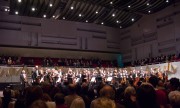
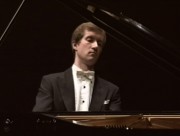 We’ve just returned from this concert in The Hague:
Elgar, Enigma-variations Xian Zhang, conductor
Sergey Rachmaninov, Piano concert nr. 3 Nikolay Lugansky, piano, Xian Zhang, conductor.
Residentie Orkest The Hague Philharmonic
Mixed feelings and a helluva thoughts (Yeah, as always). OK, one by one…
I like live concerts, because of:
- Live, real, dynamic, uncompressed, not distorted (classical music) sound
- Special atmosphere
- Energy, emotions
And these are the reasons why I do not “go live” too often:
- Snorting, coughing, sneezing, singing, moving, smelling, talking people around
- bad acoustics
- you never know how good/bad the supporting musicians are (classical music)
- crowd (pop/rocks/jazz concerts)
- the trip to and back
- the necessity to be in time
- tickets
- parking
- dress code
- inability to move freely during the concert
- you can’t watch/listen to who you want and when you want
- some of your favourite musicians are out of business for various reasons
I think you got my point. It’s much more convenient to buy a decent audio system and enjoy the music at home. But this time a friend of us called, offered two tickets and we could not refuse.
The concert hall was full. I don’t think there were any vacant places. Just as I thought the average age of the public was probably close to 50. Classical music is still not very popular in NL (pun intended). The good thing is that pensioners can afford tickets to such events.
Elgar opened the evening. Miniature Xian Zhang (what a charming smile!) very emotionally conducted The Enigma Variations. The musicians were doing their best but the music fell apart. I’m neither an expert, nor a professional critic, I can’t say why, but the sense, the reason, and the harmony of the composition were completely lost.
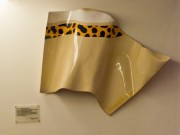 I tried to concentrate but my attention was caught by the acoustic treatment of the hall (sorry, but it was more interesting than the performance). Especially I liked the diffusers placed on the walls around the orchestra. (See the photo).
The second part was more promising. Both blamed and famed (simultaneously) pianist virtuoso Nikolay Lugansky played Rachnaninoff #3. One of my favourite pieces I’m (fortunately) quite familiar with.
The “blamers blame” for the lack of emotions and error-free “robot-like” sterile style, as the old-school Russian musicians say. The “famers” say that it’s not necessary to play “dirty”, with jumps, distorted faces and with sweat and blood squirting from under the fingers.
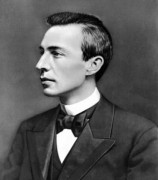
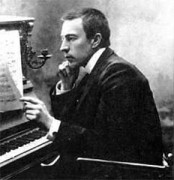
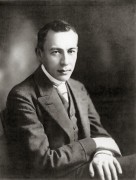
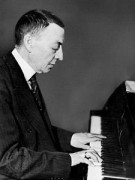
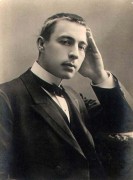
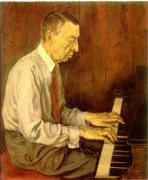
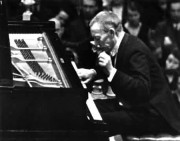
But I bet the actual reason for these usual wars is the notorious feeling vs thinking conflict. Yeah, back to the socionics. As many scientists believe, Sergey Rachmaninoff (one of the best virtuoso pianist ever) was a Logical Intuitive Introvert (aka LII, aka INTj, aka Analyst, aka Robespierre, aka Descartes). Logical, not Ethical!
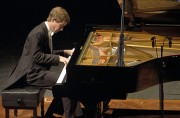
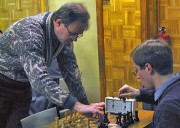
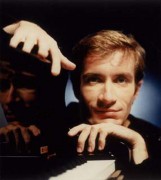
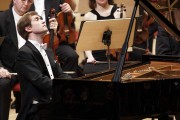
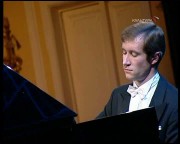
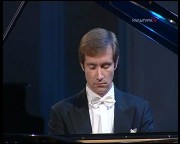
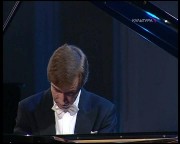
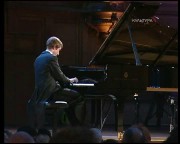
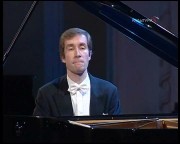
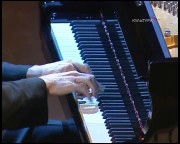
Lugansky is a very good chess player, speaks Russian, English, French and German, and (this is just a thought!) very closely resembles that LII sociotype (look at the photos and, if you can, how Nikolay moves). Of course, everybody can “invent” his or her own Rachmaninoff. Add feelings, hysteria, emotions, a couple of extra notes here, a couple of wrong “buttons” there, but in my opinion the result should look as close to the original as possible. And who can do that better than a virtuoso of the same psychological type?
Anyway, as I said, I’m not a musician and I measure the quality of music by my own involvement, feelings and emotions. The orchestra obviously disturbed. The orchestra was not focused. The orchestra was not concentrated. The orchestra was not in time. Whatever. But every time Nikolay took his hands of the “keyboard”, my mind drifted off the performance, unless someone (mostly the “rhythm section” and the flutes) made a squeaky (flute) or simply odd sound.
The public around was also “in tune and time” with coughing, sneezing (see above). And elderly woman sitting next to me (who with a disgust on her face pushed away the strap of my bag slightly touching her arm) was busy with loudly cleaning her nose and talking to her neighbor.
The final was good, though. Somehow the musicians got distracted from staring at the auditorium and just like a pilot during the landing (when he stabilizes a wobbly airplane just before the touch) finished with a “simultaneous firework”.
Standing ovation! Sure, no doubts. And then the magic began. After minutes of ovation, Lugansky returned to the piano and started playing Chopin. Solo. Suddenly the silence fell. The public and musicians immediately stopped making any noises and started “nodding” in tact. Very clean, crystal clear, easy, high-mountain-creek-like sounds. Nikolay was almost motionless. Straight back. No mimics. It was only his fingers.
Get rid of the orchestra and just let the guy play!
PS: Sorry, no photos – the battery died…
PPS: I think I’m back to my system (which sounds quite good in comparison to the live orchestra) and my recordings. Why? See above …
How to downmix 4 channels into 2
Or a quadraphonic record into a stereo one.
Le’s assume you have a bunch of files in one directory. The following script will downmix 4 channels into 2 with the following proportions:
- LF => 100% LF
- RF => 100% RF
- LB => 100% LF
- RB => 100% RF
and move the stereo files into a directory called “stereo”:
mkdir stereo
for file in $*
do
  sox -S -c4 "$file" -c2 stereo/"$file" mixer  1,1
done
If you want to change the front/back ratio to, for example:
- LF => 100% LF
- RF => 100% RF
- LB => 70% LF
- RB => 70% RF
the sox command will look like:
sox -S -c4 "$file" -c2 stereo/"$file" mixer 1,0.7
Upgrade x (Solaris + SqueezeCenter)
Here’s a quick way to upgrade one or both Solaris (tested with Nevada snv_107) and SqueezeCenter (tested with SC 7.4 24827).
- Remove the CPAN directory in the SC root directory# mv CPAN CPAN.orig
- Install missing CPAN modules# perl -MCPAN -e shell
cpan> install Bundle::CPAN
. . .
cpan> reload CPAN
cpan> install I18N::LangTags
cpan> force install Scalar::Util - Disable Encode::Detect::Detector module in Slim/Utils/Unicode.pm (line 40). The module can’t be compiled for Solaris.# vi Slim/Utils/Unicode.pm
. . .
#use Encode::Detect::Detector;